 Weighthouse
Use cases / Revision tracking
Know which revision is on disk.
Hugging Face repositories change. A model you downloaded last month may not be the same as the one available upstream today. And if you selected only some of its files, keeping track of exactly what you downloaded gets harder.
Weighthouse records the revision and selected files for each managed download. It can check the local copy for missing files or unexpected size changes, then compare its recorded revision with the upstream repository.
You review the differences and choose what to update. Nothing changes automatically.
A record of what you downloaded
A model repository can contain multiple weight formats, quantizations, and other supporting files. Sometimes, you only want a few quants and not the whole repo, and it’s easy to lose track of what you have.
Weighthouse pins the requested revision to a specific Hugging Face commit and records that revision and all of the files you selected in a manifest, so each managed copy has a record of what was downloaded, independent of whatever might happen later upstream.
The manifest also provides the reference point for later verification requests and update comparisons. You can stop trying to reconstruct what you downloaded months ago from a directory name or your own memory. Just look it up in Weighthouse instead.
.modelmanifest.json / Excerpt
{
  "repo_id": "AuroraAI-Research/AuroraTTS-100K",
  "requested_revision": "main",
  "sha": "ac60c05487c9853c1c8ffb7254aac2e12f4690c0",
  "downloaded_at": "2026-10-23T08:58:56.650735+00:00",
  "selection": {
    "files": [
      {
        "path": "model.safetensors",
        "size": 391872
      },
      {
        "path": "eval_sentences.json",
        "size": 2245
      }
    ]
  }
}Check the local copy
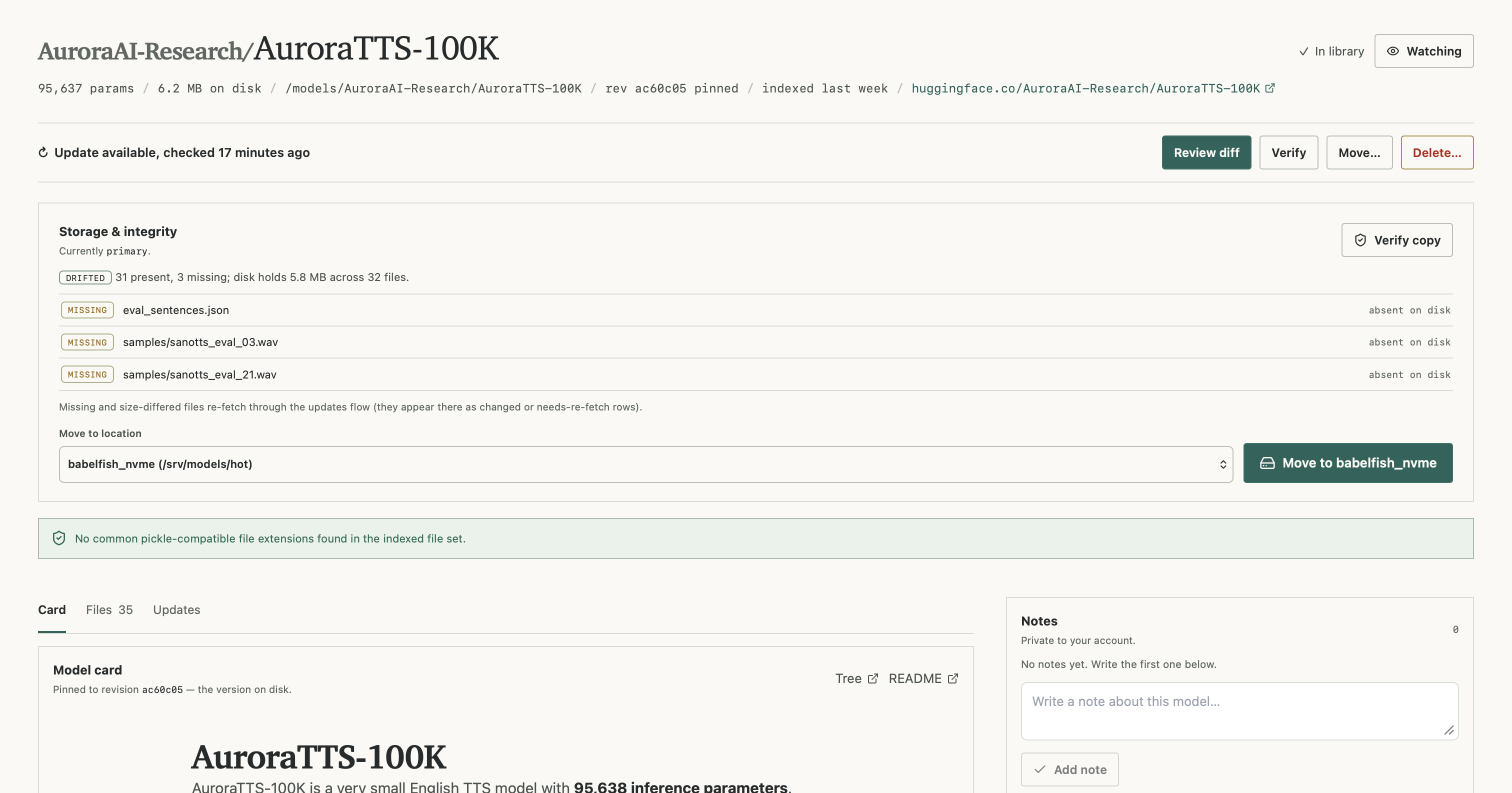
Files might get moved, deleted, or changed outside of Weighthouse. Just because a model directory is still there doesn't mean everything you originally downloaded is there, too.
Weighthouse can verify a managed copy against its manifest, checking for missing files and unexpected size changes. It also reports additional files that weren't part of the original download, so you can see if something new shows up on the disk that differs from what Weighthouse originally recorded.
This isn't a full cryptographic integrity check. A file can change without changing size. But it's a practical way to catch missing files and obvious mismatches without having to inspect every directory by hand.
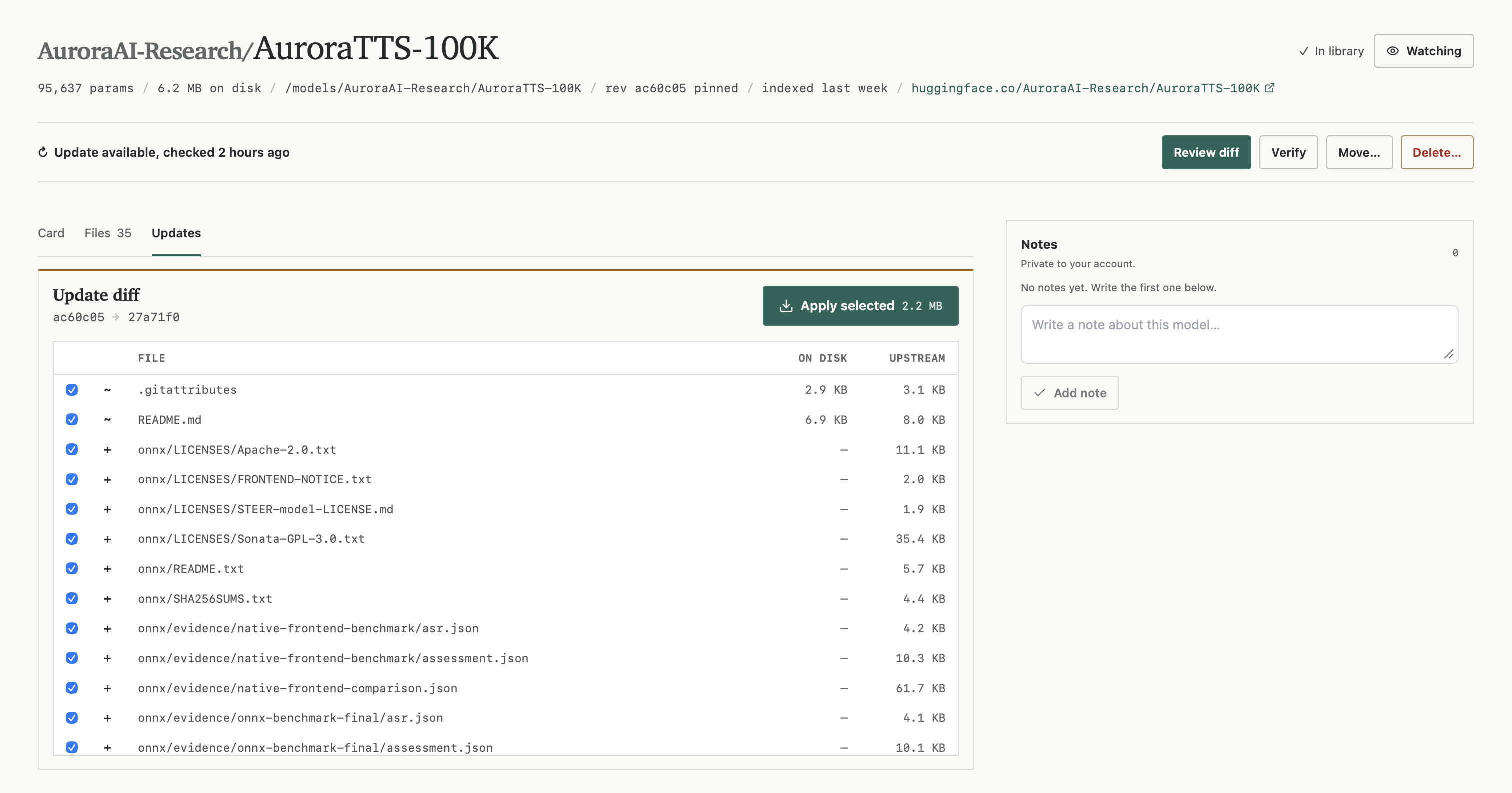
See what's changed upstream
Hugging Face repositories don't always stay the same. New quantizations get added, model files get replaced, and sometimes files disappear entirely. If you've already downloaded a model, it helps to know what's changed before deciding whether to download anything else.
Weighthouse can check for changes upstream and show you a file-by-file diff against the revision you have locally. You can see which files were added, which ones changed, and which ones were removed upstream.
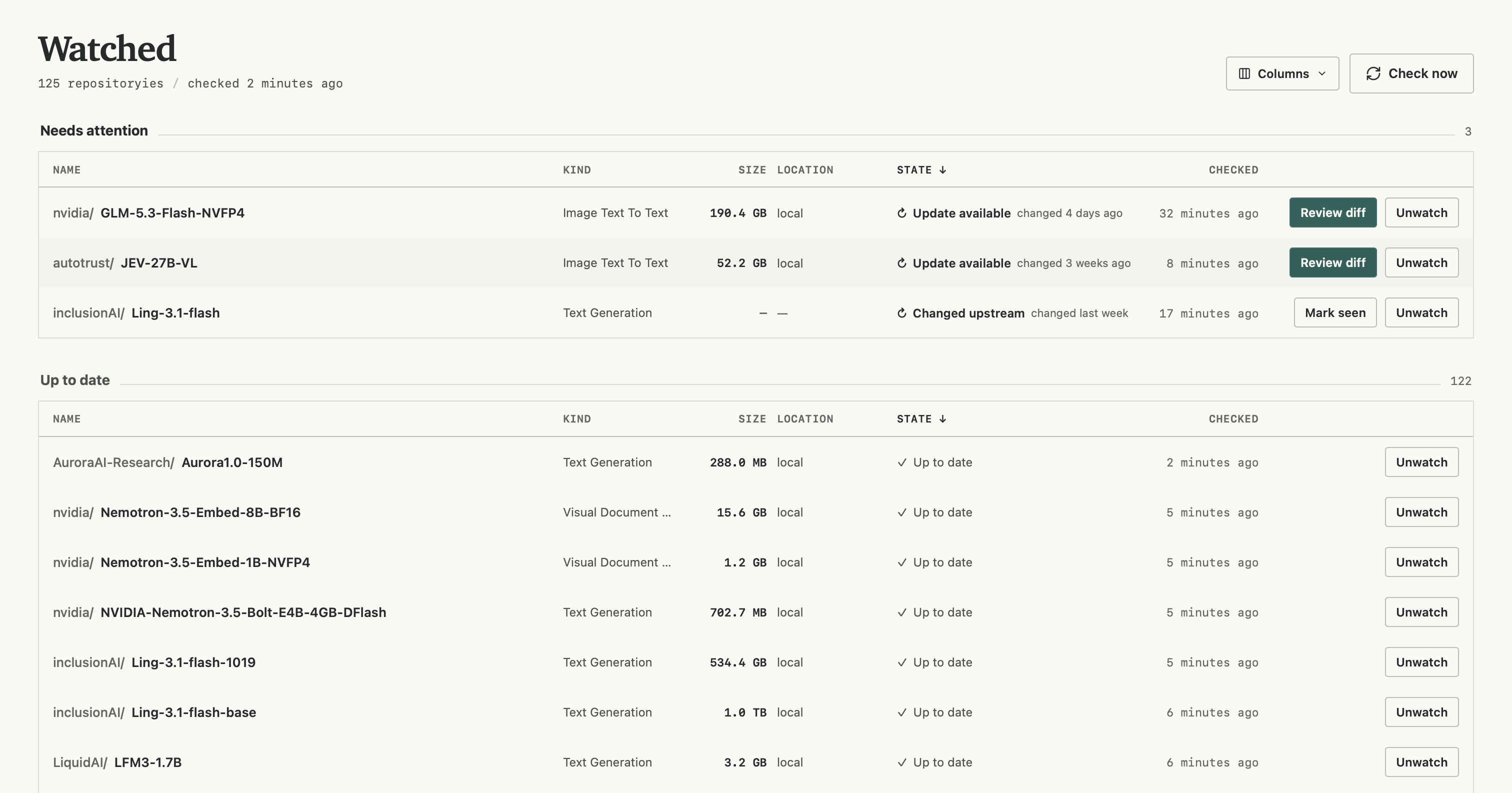
You can also watch models for changes without downloading them first. When there's something new upstream, Weighthouse lets you review the differences and choose which files to update. Nothing gets downloaded or deleted just because the upstream repository changed.
Your files don't change by themselves
Just because there's a newer revision upstream doesn't mean it's the revision you want. Maybe you're testing a particular quant, or maybe the version you've already downloaded is the one your workload depends on.
Weighthouse shows you what's changed and lets you decide what to do about it. Keep the revision you have, update to the new revision, or even select the individual files you want to update. Files removed upstream are reported, not automatically deleted from your local storage.
That doesn't mean you can't automate these changes. Weighthouse offers scoped access through MCP and the API, so your agents and automation tools can check for changes and request updates according to the permissions you grant.